Can you use your Claude or ChatGPT plan in other apps?
By Andri Peetso, maker of Creator Toolset · Updated
A creator app shows a box for an AI key on its second screen. You already pay for a Claude or ChatGPT plan, so you wonder why the app needs more money before it does anything. A plan and an API key are different things, and an app can get AI in three different ways.
Only some of these ways are open to you. A plan is for you, used in the vendor's own app. Anthropic says that a third-party app may not take your login and spend your plan on its own requests. Its route is your own Claude Code on your own computer, signed in with your own account, or your own API key, which Anthropic bills by use. OpenAI describes a sign-in option for listed apps, covered below.
The three ways an app gets AI
| Who pays | What you do | Where the limit is | |
|---|---|---|---|
| The app's own credits | The app, which resells AI to you in its price | Nothing beyond signing up | The app's plan and its credit rules |
| Your API key | You, to the AI company, per request | Create a key in the AI company's console and paste it into the app | Your spending in that console |
| Your plan through the vendor's own tool | You, through the monthly plan you already have | Install Claude Code or Codex on your computer and sign in to it | Your plan's usage limits |
The first route is the simplest and the least transparent about cost. The second is the clearest bill. The third only works when the app talks to the vendor's own tool on your machine, and the tool does the signing in.
What Anthropic and OpenAI allow today
We checked these pages on 10 November 2026. This is not legal advice, and terms change, so read the current text before you rely on it.
Anthropic. Its Claude Code legal and compliance page says that sign-in with a plan is "intended exclusively" for plan purchasers, for ordinary use of Claude Code. It says third-party developers may not offer Claude.ai login in their own apps, and may not route requests through plan credentials for their users. It also says an end user may sign in to the unmodified Claude Code program with their own subscription. So the route Anthropic describes is you, running the program as Anthropic publishes it, with your own sign-in.
OpenAI. Its sign-in docs list "Apps powered by your user's ChatGPT plan" as a sign-in option. Its help article on using your ChatGPT plan in other apps and sites sets out the rules for listed apps. The rules and the list change, so read the article before you connect one. The same docs cover signing in to Codex with a ChatGPT plan.
Google. The Gemini CLI terms say that reaching its services through third-party software is a breach of its terms, and that it can lead to account action. Do not build or buy a tool that borrows the Gemini CLI sign-in.
How Creator Toolset uses your AI
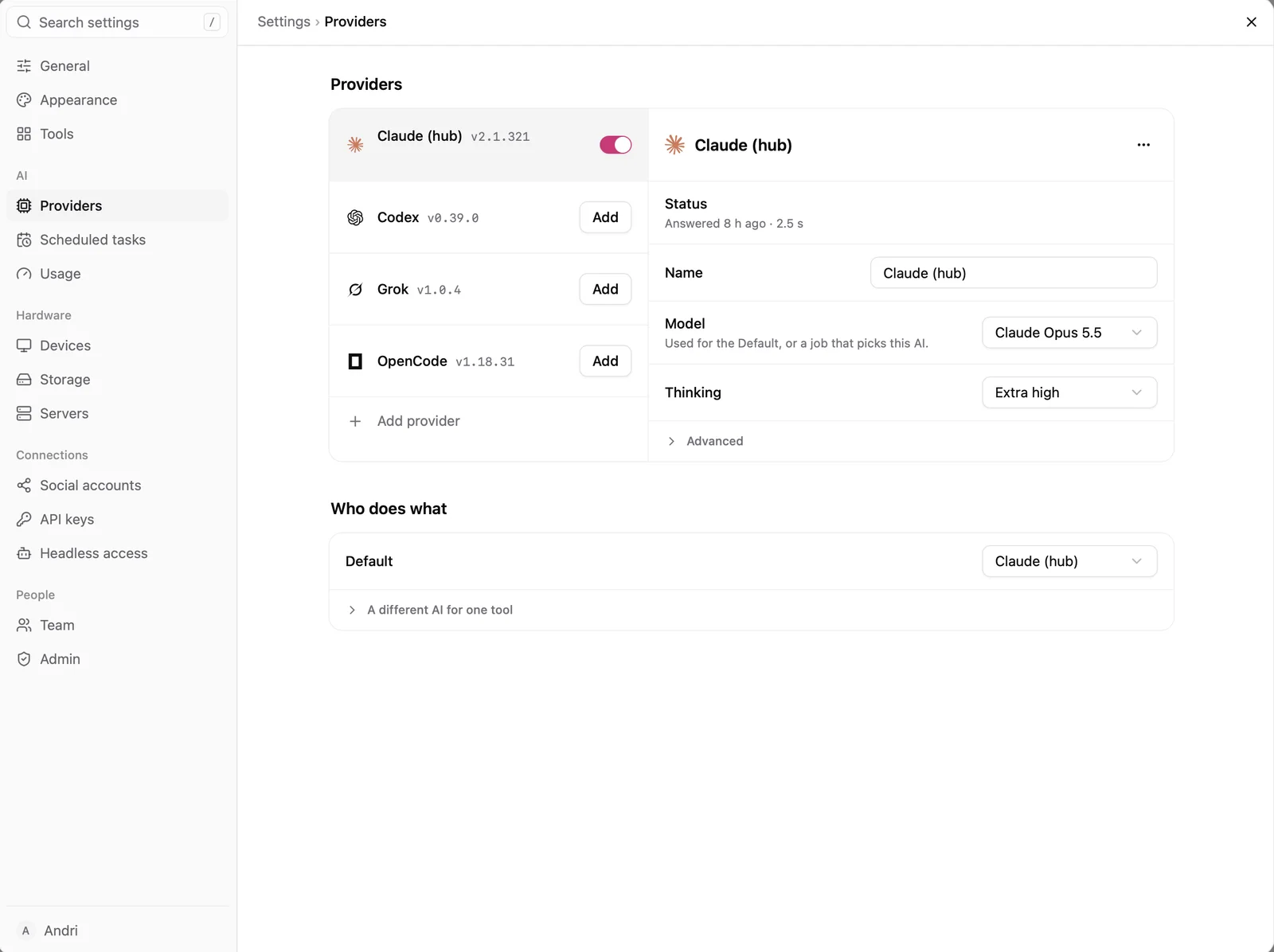
Creator Toolset is free and open source. It does not come with an AI account, so you bring one. The Mac app passes your requests to Claude Code or Codex, installed on your Mac and signed in by you. It sends only your own requests. Or you add an API key, and Anthropic bills it.
To set up the plan route:
- Open Settings → Providers. If Claude Code or Codex is missing, the page gives its install command. For Claude Code it is
curl -fsSL https://claude.ai/install.sh | bash. For Codex it isnpm install -g @openai/codex. - Sign in to the tool once in Terminal. Type
claudefor Claude Code, orcodex loginfor Codex, and follow the browser prompts. - Go back to Settings → Providers and check that the tool now shows as an AI you can use.
- Run one small job, such as a Workshop question about a project. A written reply means the route works.
For the API key route, open Settings → API keys and add your Anthropic key. Anthropic bills you for every request the app sends with it.
Two limits to know before you start. First, Workshop writing needs Claude Code or Codex on your Mac. An Anthropic key will not write Workshop pieces. Second, Codex runs without internet in its sandbox, so web research in the Workshop uses Claude Code or a Perplexity key instead.
If the Workshop says "Connect Claude Code or Codex to write", the tool is not installed or not signed in. Repeat step 2, then check step 3 again.
Your plan's limits
Your plan has usage limits, and heavy work uses them up. Creator Toolset warns you on Pro and Plus: the AI Editor, deep research and large Analyzer runs need your OK before they start, because they can use up your five-hour limit. You can see what is left under Settings → Usage. Anthropic's legal and compliance page says advertised usage limits for Pro, Max and Ultra plans assume ordinary, individual use of Claude Code and the Agent SDK. If you run a batch of edits all afternoon, you may hit the wall in the middle. Then you wait for the reset, or you add an API key for that work.
The app is free, and the AI is not. You pay for the plan you already have, or for the API calls you make. Download the Mac app and try one small job before you run anything large.
If you want a sense of what else sits beside the AI, the setup guide for Claude Code shows the terminal side in one sitting, and what MCP is explains how a chat can reach your Creator Toolset work.
 Claude Code for non-coders
 What MCP means for creators
 AI and your ideas