Submagic vs Captions in 2026: per-member pricing, iOS plans and clip limits
By Andri Peetso, maker of Creator Toolset · Updated
Two pricing pages are open, and both list paid caption plans with credits or members. Submagic multiplies its price by the people on the account. Captions lists its prices for iOS plans only and counts seats inside each plan. The bills add up differently.
We make Creator Toolset, and its Caption Studio is in the table because it does this job. Each pick says when the other tool is the better choice.
The short answer
- If your captions are made by several people, each with their own login, pick Submagic and count the members. Its price is per member.
- If you caption on an iPhone, pick Captions. Its pricing page shows iOS plans, with 2 seats on Max, 3 on Frontier and 5 on Frontier 4x.
- If you want to try before you pay, start with Captions' free plan, which has one caption template and no AI credits, or start Submagic with no card.
- If you need clips from longer videos as well as captions, pick Submagic, because Magic Clips is on each paid plan.
- If you need captions in more languages, compare the two: Submagic lists AI translated captions from Pro, and Captions lists translation on its paid plans.
- If you want a caption file or a transparent layer for your own editor, pick Caption Studio.
Compare the plans
| Tool | Free plan | Entry paid plan | Mid plan | What decides it |
|---|---|---|---|---|
| Submagic | None listed; no credit card needed to start | Starter $12 a member a month billed yearly, or $19 billed monthly | Pro $23 a member a month, billed yearly | Starter: 15 videos or 5 Magic Clips, videos up to 2 minutes, no silence removal or translation. Pro: 40 videos or 15 Magic Clips, videos up to 5 minutes |
| Captions | 1 caption template; no AI credits | Max $24.99 a month, billed monthly: 500 credits, 2 seats | Frontier $69.99 a month: 1,400 credits, 3 seats | 100 or more templates on paid plans; credits roll over for up to two months; iOS prices only |
| Caption Studio | No paid plan; the app is free and open source | No paid plan | No paid plan | Transcription in the browser with a local model needs no AI key; AI-written lines need your own AI plan or key |
Prices are from each vendor's own pricing page as of 10 November 2026. Captions' page gives no yearly amounts.
Who pays per member
Submagic's bill grows with each person you add. Starter, Pro and Business are $12, $23 and $41 a member a month on yearly billing, so three members on Pro come to $69 a month. A solo creator pays one member's price. Before you choose, list the people who will open the tool, then multiply. Submagic pricing
Who works from an iPhone
Captions' pricing page says its prices and features reflect iOS plans only. Max at $24.99 a month billed monthly is the entry paid plan, with 500 credits and two seats. Credits roll over for up to two months, which helps a month with a light schedule. The page does not name the other platforms, so check the app listing or the site before you plan around a Mac or a PC. Captions pricing
Who needs clips as well
Submagic's Magic Clips is on every paid plan, with 5 Magic Clips on Starter, 15 on Pro and 37 on Business. Captions' pricing page does not name a clip feature. If the output is captioned clips cut from longer footage, the Magic Clips count on Submagic's page is the number to compare.
Who tries a free start first
Captions' free plan lets you check the caption look and the timing on one template. Its page does not state a watermark or an export size for the free plan, so export one test clip before you rely on it. Submagic lists no free plan, but its page says no credit card is needed to start, so run the same clip through that start and compare the timing against the speech.
Who wants a bill they can predict
Captions sells credits. Max gives 500 a month and Frontier 1,400, and credits roll over for up to two months, with a balance capped at three times the monthly amount. A light month leaves credits for the next one, so the bill stays the same while the work moves around. Submagic bills per member at a fixed monthly figure, billed yearly, so the cost moves only when you add or remove a person. If your output swings from week to week, read Captions' credit rules on its page. If your team is steady, the per-member figure is easier to budget.
Who needs a caption file or a layer
Caption Studio can transcribe in the browser with Whisper, so you can avoid a cloud transcription service. It exports SRT, WebVTT and ASS files, and it renders word-highlighted captions as a transparent ProRes 4444, WebM or PNG layer for your own editor. It has no paid plan and does not find clips in longer videos. The browser Whisper guide and the transparent overlay guide show the steps. For a wider set of reel tools, see the AI tools for editing reels roundup.
How we chose
The picks come from what each vendor publishes: plan prices, credits, seats, limits, platforms and what each plan includes, read on 10 November 2026. We did not test the two tools side by side on the same clip, so this page makes no claim about which output looks better. The Caption Studio entry describes what its own source code does.
Test the free start before you pay
Caption one 30-second clip on Captions' free plan and check the template, the highlight and the export. Then start Submagic with no card and caption the same clip, checking the timing against the speech. Then price both for your team size: the per-member figure at Submagic, and the seats in each Captions plan.
 Submagic alternatives
 Opus Clip alternatives
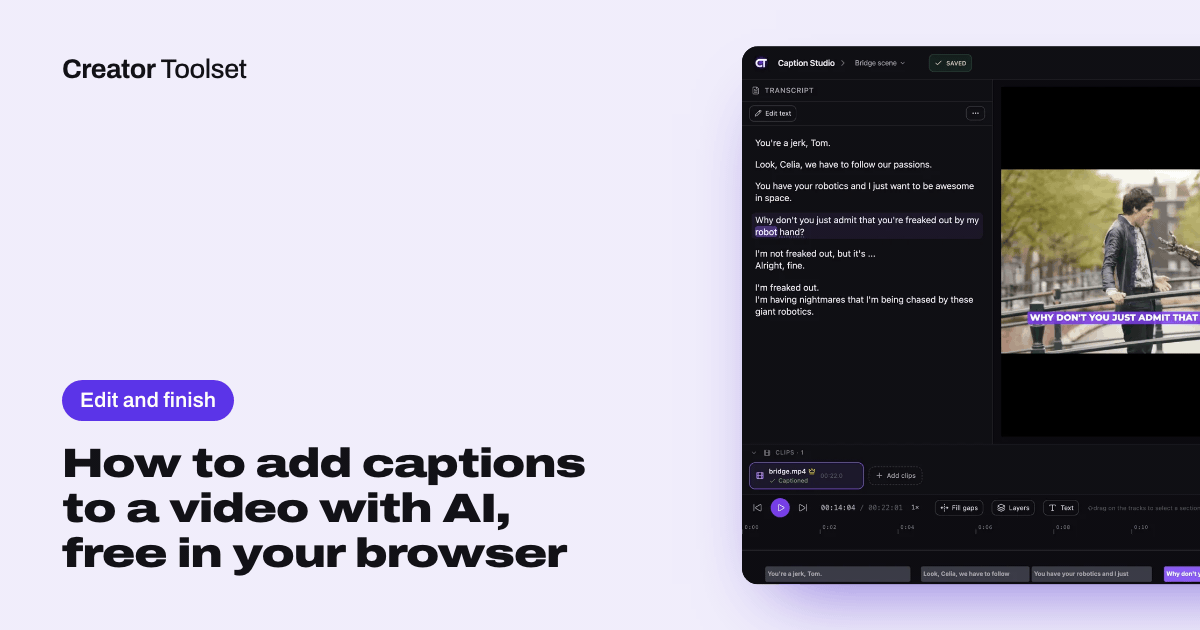 Browser Whisper captions and SRT