What MCP is, and what it lets your AI chat do with your tools
By Andri Peetso, maker of Creator Toolset · Updated
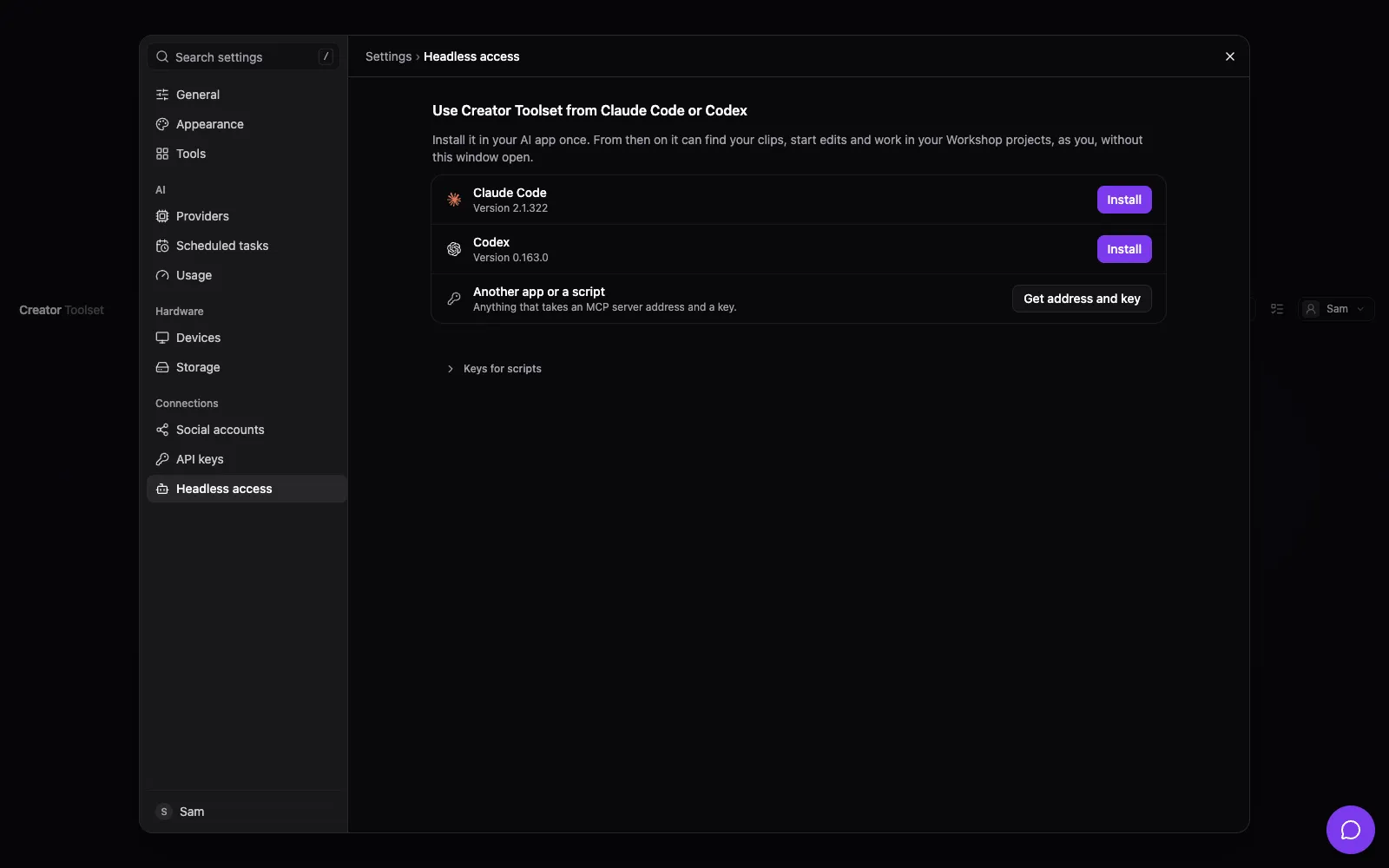
You read that an AI tool can "connect to MCP servers", and the setup has you paste a web address and a long key. You have no idea what the chat will then be allowed to touch. Before you paste anything, you want to know what it can reach and how to take it back.
MCP stands for Model Context Protocol. It is the standard way an AI chat gets tools from another program. The official definition is an open-source standard for connecting AI applications to external systems. The same introduction compares it to a USB-C port: one standard plug, many devices.
The client is the AI app you talk to, such as Claude Code. The server is the program that offers tools, such as an editor or a design file. A tool is one thing the server lets the chat do, such as list your projects or change a setting. When you connect a server, you give the client its address, which is a web link, and usually a key, which is a secret string that proves you are allowed in.
Three examples a creator meets
| DaVinci Resolve AI Assistance | Figma MCP server | Creator Toolset | |
|---|---|---|---|
| What it reaches | Your open Resolve project | Your Figma files | Your Workshop, Review and AI Editor work |
| How you set it up | Inside Resolve Studio 21.1 or newer, from File > Setup AI Assistants | A remote address, https://mcp.figma.com/mcp, in your AI app | Settings → Headless access in the Mac app |
| What it can change | Blackmagic says the assistant can analyze projects, organize media, adjust settings and batch render | Reads design data from files. Writing to the canvas needs the remote server and a full seat | Workshop pieces, the status of Review comments, scheduled tasks |
| What it costs | It needs DaVinci Resolve Studio, the paid edition ($236 on Blackmagic's page on 10 November 2026) | Writing to the canvas is free during beta and will become usage-based, per Figma's MCP server page | The app is free. You pay for your own AI |
DaVinci Resolve. Blackmagic's DaVinci Resolve 21.1 release note, dated 8 September 2026, says a user can ask an AI assistant to analyze projects, organize media, adjust settings and batch render in plain language. Blackmagic's feature comparison lists AI Assistants under Studio, the paid edition. The setup guide for Resolve covers the steps.
Figma. Figma's MCP server page describes a remote server that lets an agent read design context from a file and generate code from a selected frame. Claude Code and Codex are among the clients it lists. The remote server does not need the Figma desktop app. Writing back to the canvas needs a full seat, and the page says that is free during beta.
Creator Toolset. The app runs its own MCP server for your account. The README says Creator Toolset adds itself to Claude Code with a key that only works for you. The next section lists what the chat can do through it.
What Creator Toolset's server lets the chat do
The tools in the server's list cover the work a creator does in the app:
- Content Workshop: list projects and sessions, read a session with its pieces and chat, start a session or a piece, change a session's title, notes, status or post link, edit a piece's text directly, and ask the Workshop's writer about a piece (the writer may edit it).
- Finals: link a Finals piece to a session, so each version shows its post description there.
- Review: list your videos, read one with its comments, resolve a comment, set a video approved or sent back, and turn its public share link on or off.
- Instagram Analyzer: start a pull of one of your accounts, and list its posts since a date with the state of the pull.
- AI Editor: list edits, read one, run a step (analyze, script, draft or B-roll), and file a draft's preview in Review.
- Scheduled tasks: create or change a task, list tasks with their last result, run one now, or delete one.
- Work preferences: read and change where you talk to the AI and where you check the work.
- Setup and the app: read what is set up, save your setup answers, ask you for one API key in a secure box, open a page of the app, play a video in the chat, send a video or recording to Video Notes, Review or Caption Studio, and read a Video Note's summary.
The same Settings page also installs the connection into Codex when Codex is found on the Mac.
Connect one
For Claude Code, the command is short. Replace the name and the address with the ones from the vendor:
claude mcp add --transport http --scope user <name> <address>
The --scope user part makes the connection available in every project on your Mac. If the server needs a key, add --header "Authorization: Bearer <key>". Creator Toolset's Settings page writes this line for you, so you do not type the key yourself.
Then open Claude Code and type /mcp. A tick beside the name means the connection works. A cross means it failed, and the row says why, often as a wrong key.
Test it safely
Start with a request that only reads. "List my open Resolve projects" or "list my Review videos" changes nothing. If the answer looks like your work, try a second request that writes, and do it on a copy:
- For Resolve, duplicate the project before you let the chat change timelines or render.
- For Creator Toolset, pick one piece to edit, read the result in the app, then approve the next change.
The permission a server has is the permission its key or sign-in gives it. Creator Toolset's key acts as your whole account, so it can change anything you can. Read Figma's setup guide for your client to see how its sign-in works before you connect. Use the smallest key you can, and do not share one.
Remove it
Removing a connection takes two steps, because the chat and the server keep their own record.
- Remove the server from the chat. For Claude Code, run
claude mcp remove --scope user <name>. If the server used a browser sign-in, first runclaude mcp logout <name>, because removing the connection does not revoke the sign-in at the provider. - Revoke the key on the server's side. For Creator Toolset, click Remove beside Claude Code in Settings → Headless access. That stops the key from working. Then run the
claude mcp removeline above, so Claude Code forgets the address too.
Check that the cross or the missing row appears in /mcp once you have finished.
What MCP does not do
MCP does not make the chat smarter. It gives the chat a list of tools and the answers these tools return. The quality of an edit or a caption still depends on the model and on your instructions. A tool that changes a Resolve timeline changes what you see on the timeline, and you still check it by eye before you export.
If you want the reasoning behind the AI plan that powers these tools, the guide to using your own plan explains which route each vendor allows.
 Use your AI plan in other apps
 Claude Code for non-coders
 Set up the Resolve AI assistant