Best video editing software in 2026
By Andri Peetso, maker of Creator Toolset · Updated
You record a talking-head video on Sunday night, drag the raw file into an editor you have never opened, and spend an hour finding the button that cuts a restart. The next time, you want the tool that already fits how you work. This guide shows which editor fits which situation, what each one costs on its vendor's page today, and what it leaves out.
We make Creator Toolset. It is on this list as a first-pass and captions companion to an editor, not as an editor itself, and each pick says who should choose something else.
The short answer
- If you make long YouTube videos and want one full editor, pick DaVinci Resolve. Its free edition is a complete editor, and its page lists Mac, Windows and Linux.
- If you are a beginner on a Mac or an iPhone, start with iMovie. If you are on Windows or want to work in a browser, start with Clipchamp.
- If you work on a Mac and want Apple's editor, pick Final Cut Pro. It is a one-time purchase on the Mac App Store.
- If you want pro color and finishing, pick DaVinci Resolve Studio, the paid edition. It adds 10-bit color, up to 120 fps and resolutions above 4K.
- If you cut talking-head video and want to edit by changing the words, pick Descript. It has a free plan with a watermark and a monthly media limit.
- If you shoot and cut on a phone, pick Edits, InShot or VN. All three run on phones; Edits and VN also run on a Mac.
- If the first cut of a talking-head take takes you the longest, let Creator Toolset make the first pass and finish it in the editor you already use.
Comparison
Prices read on each vendor's page on 10 November 2026. A plan can change after that date, so check the vendor link before you pay.
| Tool | Best for | Platforms (as stated) | Free tier | Price from |
|---|---|---|---|---|
| DaVinci Resolve | Long YouTube videos, color and finishing | Mac, Windows, Linux | Yes, up to 4K and 60 fps in 8-bit | Studio $236 to buy |
| Adobe Premiere Pro | A subscription editor with AI assist | iPhone, Android and desktop; Mac and Windows not stated | Free mobile app; seven-day free trial | $22.99 a month, annual plan billed monthly |
| Final Cut Pro | Editing on a Mac | Mac and iPad | Not stated | $299.99 one-time (Mac) |
| CapCut | Short social videos with templates | Windows and macOS (desktop) | Free plan; limits not stated | Pro $17.99 a month, or $149.99 a year |
| Descript | Editing talking heads by their transcript | Not stated on vendor page | Yes: 60 media minutes a month, 720p, watermark | Hobbyist $24 a month billed monthly, or $16 billed annually |
| iMovie | Simple edits on Apple devices | iPhone, iPad and Mac | Yes: the app is free | Free on the Mac App Store |
| Filmora | Desktop and phone editing with AI tools | Windows and Mac; iOS and Android | Yes, but exports carry a watermark | Advanced $59.99 a year |
| Clipchamp | Beginners, in a browser or on Windows | Web editor; Windows app | Yes: no watermark, up to 1080p | Premium through Microsoft 365 (price not stated) |
| Phone editors: Edits, InShot, VN | Phone-first clips | iOS and Android; Edits and VN also on Mac | Edits and VN free; InShot not stated | Edits free; VN and InShot not stated |
DaVinci Resolve
DaVinci Resolve is a professional editor with color grading, visual effects and audio in one app. The free edition works with 8-bit formats up to 60 fps and up to Ultra HD 3840 x 2160.
Pick it if you publish long videos on YouTube and want the most control over the finished picture. You do the whole job in one app, from the first cut to the color.
The free edition's page does not state a watermark or a GPU limit, so test it on your own machine before you commit a deadline to it. Studio sells for $236, and Blackmagic sells it as a purchase ("Buy Online Now") on that page. It adds 10-bit color, up to 120 fps and resolutions above 4K.
Vendor page: DaVinci Resolve, and the free and Studio comparison.
Adobe Premiere Pro
Premiere Pro is Adobe's subscription editor. It has text-based editing, automatic captions, automated reframing, and an AI assistant that sorts bins and batch-renames clips.
Pick it if you already pay for Adobe apps, or your clients send you Premiere projects. Text-based editing is a good fit for talking-head work: you trim the transcript, and the video follows.
Premiere is subscription only. Adobe's plans page lists the individual single-app plan at $22.99 a month on an annual plan billed monthly. The generative features draw on monthly credits. Adobe's Premiere page names a free mobile app and a seven-day free trial, but no free desktop plan. Check the system requirements for your Mac or Windows machine on Adobe's page before you install.
Plans: Adobe Creative Cloud plans.
Final Cut Pro
Final Cut Pro is Apple's professional editor for the Mac, with an iPad version. It includes transcript search, automatic captions, Magnetic Mask and voice isolation, and some of these features need an Apple silicon Mac.
Pick it if you work on a Mac and want one purchase instead of a monthly bill. At $299.99 on the Mac App Store, it is a one-time payment.
Transcript Search and Visual Search work in US English only, and some iPad features need a Mac to export. Apple also sells Creator Studio at $12.99 a month or $129 a year, which includes Final Cut Pro with Logic Pro and other apps. Creator Studio has a one-month free trial for new subscribers.
Vendor pages: Final Cut Pro and Creator Studio.
CapCut
CapCut is a video and photo editor with templates, effects, color grading and keyframes. It has desktop versions for Windows and macOS.
Pick it if you make short social clips and want templates to start from. Its automatic captions and its smart search, which finds clips by objects, dialogue and people, help when you have many files.
Its free plan lists basic editing tools and templates. Check its watermark, export and storage limits on CapCut's pricing page before you rely on the free plan. Pro is $17.99 a month or $149.99 a year, and Ultra is $79 a month or $900 a year. Extra credits are sold separately. The FAQ describes a 7-day free trial on paid plans, with no card needed.
Vendor pages: CapCut desktop and CapCut pricing.
Descript
Descript is an editor where you change the transcript and the video follows. It removes filler words such as "um" and "ah" with one action and can shorten the gaps between words.
Pick it if your videos are mostly talking, such as tutorials, interviews or podcasts with video. You open the transcript, delete the line you do not want, and the cut follows.
The free plan gives 60 media minutes a month, 720p export and a watermark on exports. Hobbyist is $24 a month billed monthly, or $16 billed annually. Creator is $35 a month billed monthly, or $24 billed annually. Some AI features are limited on the free plan.
Vendor pages: Descript pricing and Descript download.
iMovie
iMovie is Apple's editor for iPhone, iPad and Mac. It is built for simple edits: titles, transitions, a music track and a few clips.
Pick it if you are new to editing and your footage is already on an Apple device. Its help page is a good place to learn the controls.
iMovie is free on the Mac App Store. A talking-head job takes more hand work here than in the tools above, since its pages do not describe transcript editing or automatic captions.
Vendor pages: iMovie on the Mac App Store and iMovie help.
Filmora
Filmora is a desktop and phone editor with timeline editing, color, captions and a set of AI tools, including AI text-based editing and a speech-to-text tool.
Pick it if you want an editor that runs on Windows and a Mac for a low yearly price, and you want AI tools on the same bill.
Free exports carry a Filmora watermark. Advanced is $59.99 a year and includes 1,000 AI credits a month. The Perpetual plan is a one-time payment. Its price is not labelled on the pricing page, and it updates only within Filmora 16. Check the Perpetual price on the pricing page before you choose.
Clipchamp
Clipchamp is Microsoft's editor. The web editor runs in a browser, and there is a separate app for Windows.
Pick it if you want to start without installing anything, or you are on Windows and already use Microsoft 365. The free editor has no watermark on exports and exports up to 1080p.
Premium, with 4K export and the full AI tools, comes with a Microsoft 365 plan, and the price is not stated on Clipchamp's pricing page. Silence removal and AI subtitles are on that page. Mac is not listed as a platform, so use the web editor there.
Vendor page: Clipchamp pricing.
Phone editors: Edits, InShot and VN
These three are for clips you shoot and cut on a phone.
- Edits is Instagram's app. It is free on iOS and Android, and on a Mac with Apple silicon (M1 or later). The desktop page says it is not available for Windows, and an Instagram account is required. Its free exports are listed with no watermark.
- InShot runs on iOS, Android and Huawei AppGallery. It has auto captions, AI cut and voice enhancement. Its free and paid limits are not stated on its page, so check them in the app store listing or on inshotapp.com.
- VN is free, with no watermark and more than 150 templates, and runs on iOS, Android, Mac and Windows. Its export resolution and paid plans are not stated on its page, so check them on vlognow.me before you choose.
Pick one if the phone is the camera, the editor and the upload point.
How we chose
The picks come from what each vendor publishes: its features, its free-tier limits, its prices and its platforms. We also looked at what each tool is built to do. We did not test these editors side by side, so this guide does not rank them by speed or quality.
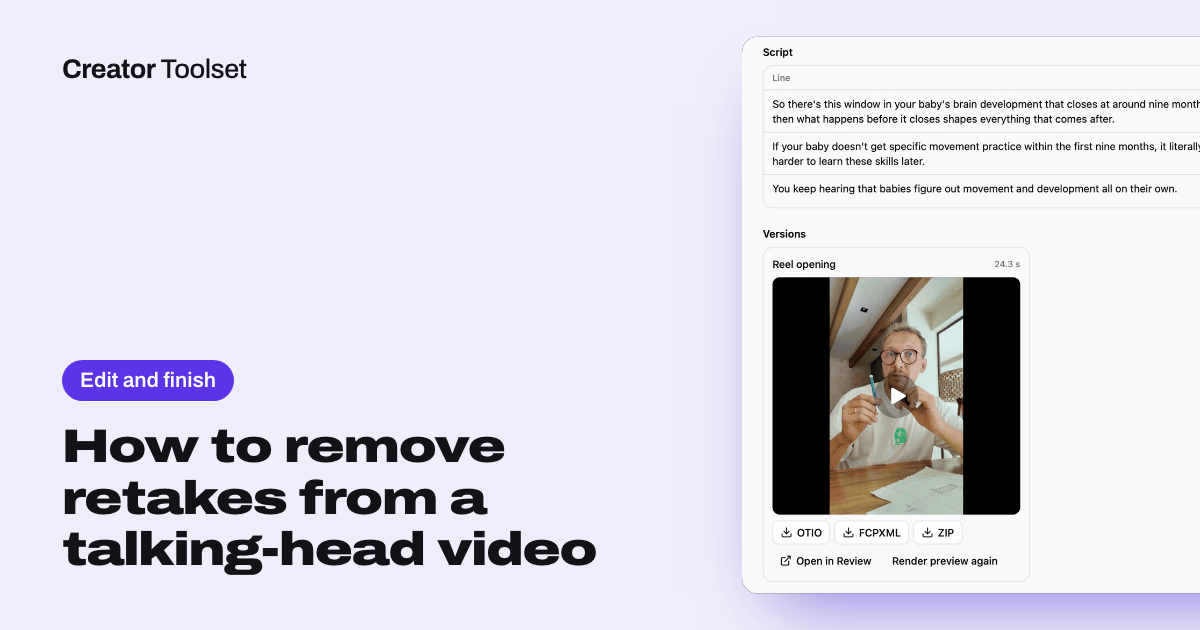
Creator Toolset is a free, open-source Mac app for Apple silicon with macOS 14 or newer. It is not a full editor. Its AI Editor reads a talking-head recording, keeps the best take of each line, cuts the pauses and the restarts its transcript shows, and makes the result a draft timeline (OpenTimelineIO or FCPXML) for your own editor to finish, with a preview in Review. Its captions tool transcribes in your browser with Whisper, so the video is not uploaded, and it exports word-highlight captions as a transparent overlay for your edit. The AI part runs on your own Claude Code or Codex, signed in on your Mac with your own plan (set up under Settings → Providers). Captions need no AI plan. You can read how the first pass works in how to remove retakes from a talking-head video, and how captions work in captions with Whisper in the browser. You can download the app from the download page.
Try two editors on the same clip before you pay
- Pick one talking-head clip of two to three minutes that you have cut before.
- Install the free edition of your first candidate, or the free plan of a web editor, and import the clip.
- Make a rough cut of the same 60 seconds in each candidate: trim the restarts, put two titles on the screen, and add captions if you need them.
- Export each cut and check three things: a watermark, the resolution, and whether the captions still line up after the export.
- Pay for the tool whose export passes your three checks and whose steps you could repeat on the next video.
 Best free video editors
 Is AI replacing editors
 Remove retakes from a take